Home · PingSales AI
Talk to your business like you'd talk to a colleague.
Open PingSales and see how the business is doing at a glance. In the middle sits PingSales AI: ask anything and it answers with your contacts, your CRM, your calendar and your campaigns — with shortcuts to the right place.
- Answers from your real data
- Plans you approve
- Available on every page
- No credit card
- Ready in minutes
- Free plan
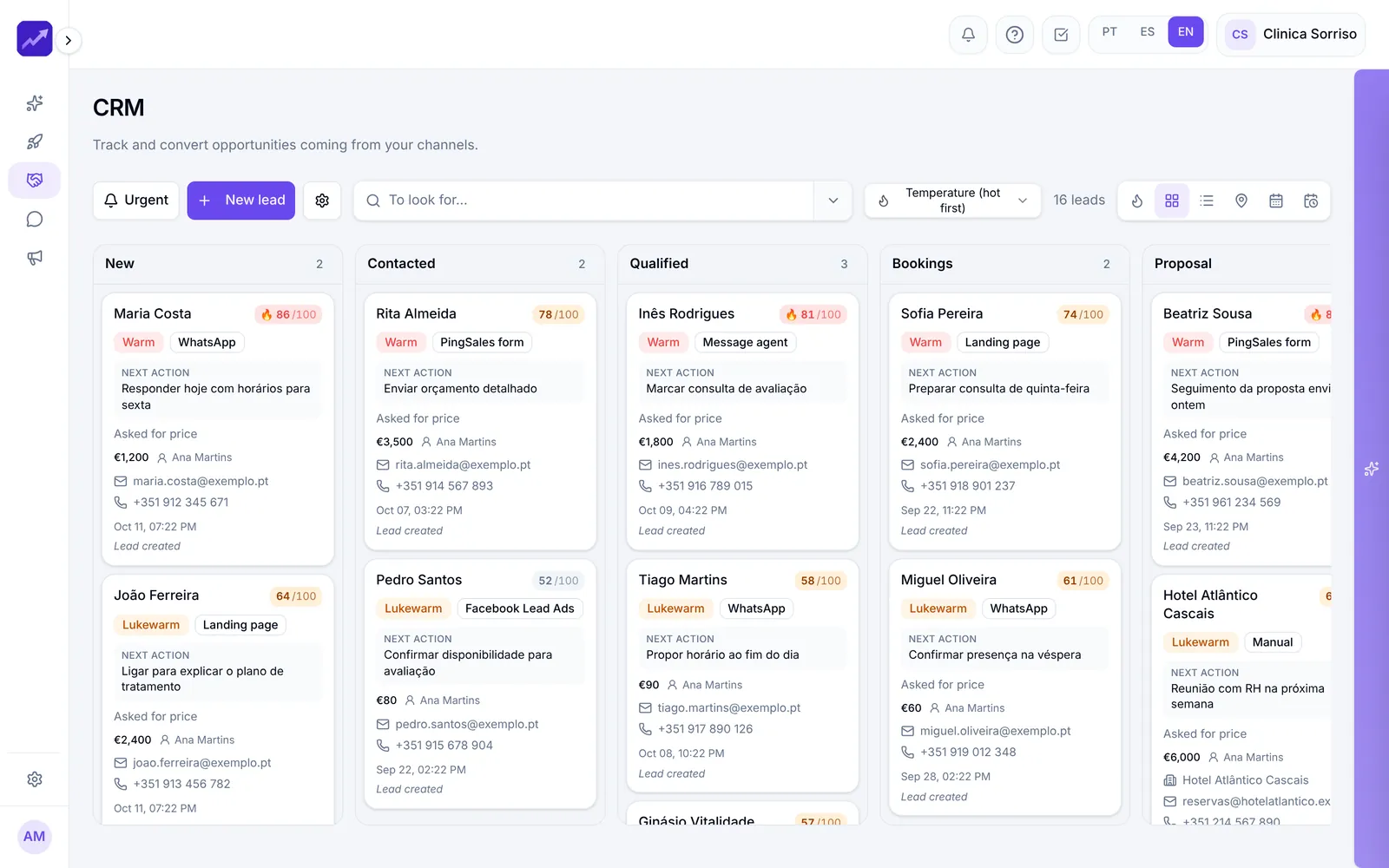
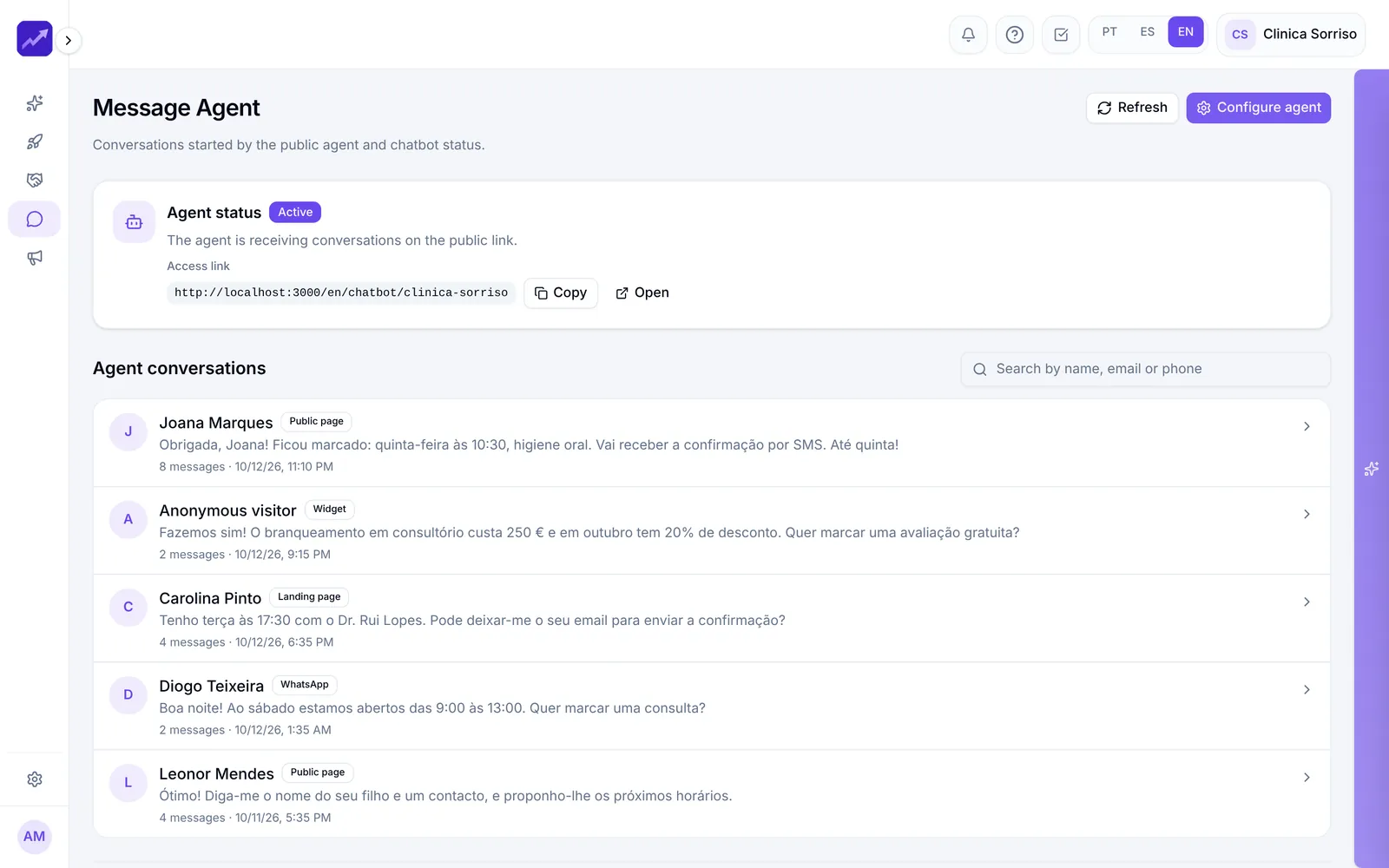
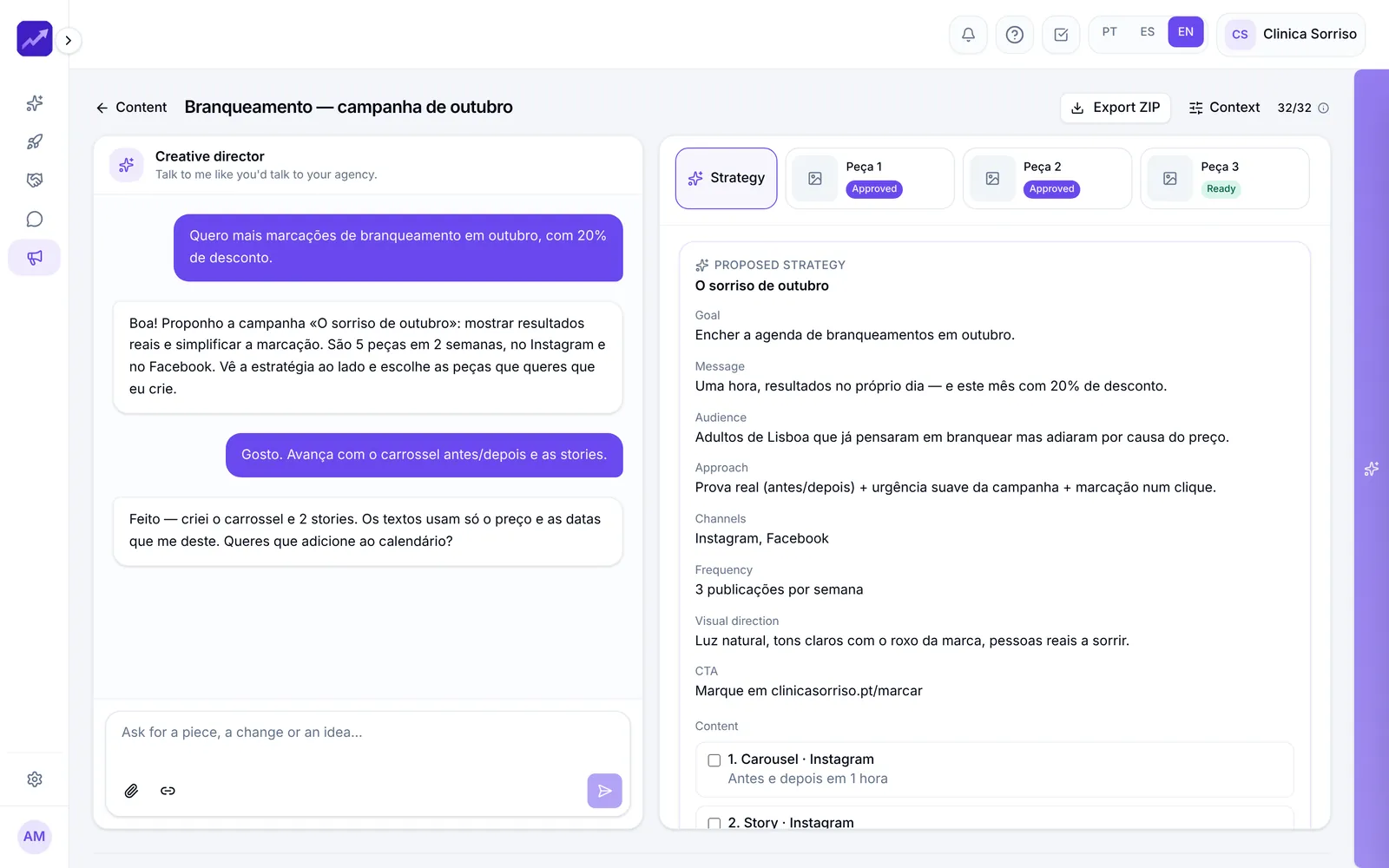
Real PingSales screens with fictitious sample data (Clínica Sorriso). Click to enlarge.
It learns your business — and only uses what you approve.
The AI learns from your business profile, knowledge base, catalogue and the external sources you point it to. When it reads your website or social profiles, everything arrives as a suggestion that you approve or reject one by one.
- Questions and answers you write yourself or generate from a PDF, Word or Excel file
- Anything it is unsure about is flagged for a closer look
- Clear rules: what it can say, what it never says on its own and when it hands over to a person
In detail
Everything PingSales AI does for you
- Business dashboard
New leads, open opportunities, conversations started and conversion rate, compared with the previous period (7 or 30 days).
- Questions with real data
“Which leads have no follow-up?” — the answer comes from your data, with a shortcut straight to the list.
- Plans that wait for you
For bigger requests it proposes the goal, the steps in phases, what needs approval and what has a cost. Change the plan in your own words.
- Live execution
Once approved, follow each step in real time. Anything that talks to customers still asks for confirmation before it goes out.
- Tools by area
Sales, communication, marketing and company: lookups answer instantly, and for anything it creates you just fill in the goal.
- Saved conversations
Search, rename or archive conversations, add images and pick up where you left off. The assistant also sees the page you're on.
How it works
From “what now?” to action in three steps
- 1Ask
Write as you would to a colleague, or pick a suggestion.
- 2Review the plan
See what will be done, what needs approval and what has a cost.
- 3Approve and follow
Nothing runs until you approve, and you follow it step by step.
Questions
Frequently asked questions
Does PingSales AI do things without me knowing?
No. Nothing happens behind your back: plans only run when you click Approve, and any message to customers asks for confirmation before it is sent.
Where do the answers come from?
From your data in PingSales — contacts, CRM, calendar and campaigns — and from the business knowledge you approved in AI Settings.
Can I use it anywhere in the app?
Yes. The assistant sits beside every page and sees the page you're on, so you can ask about whatever is in front of you.
Keep exploring
Even better together
- CRM and AutomationsA pipeline with 0–100 scoring, AI-suggested next actions, ready-to-send messages and automations.See in detail
- Messaging AgentA virtual assistant for your website, social profiles or a simple link that answers around the clock and turns conversations into leads.See in detail
- ContentAn AI creative director that knows your brand, proposes strategies and creates posts, carousels and stories.See in detail
Your next customer is already typing
Put PingSales AI to work for you.
Create your account, connect your channels and ask your first question in minutes.
- No credit card
- Ready in minutes
- Free plan