
Communication · Messaging Agent
An assistant that's on duty 24 hours a day.
For your website, your social profiles or a link you send to anyone. It answers with your business knowledge, shows buttons to pick a service and time, and turns every conversation into a lead.
- Website, landing pages or link
- Books without leaving the chat
- Every conversation becomes a lead
- No credit card
- Ready in minutes
- Free plan
Real PingSales screens with fictitious sample data (Clínica Sorriso). Click to enlarge.
From “I'd like to book” to a lead in your CRM.
A visitor types “I'd like to book a cleaning”. The agent answers based on your business, shows buttons to choose the service and time, and asks for their name and contact details along the way.
- A full transcript of every conversation, with its source
- A clear marker when a conversation has already produced a lead
- The lead lands in the CRM, ready for your team to follow up
In detail
Set it up once, answer every time
- Off, Shadow or Live
The main switch: no replies, drafted replies for your review, or replies on its own.
- Your look
Assistant name, colours and welcome message.
- Anywhere you need it
Copy the code onto your website, use it on landing pages or share the access link.
- Prices under control
Decide whether the agent shows prices or passes those requests to your team.
- Your business knowledge
It uses the profile, FAQs and catalogue you approved in AI Settings.
- Every source
Conversations from the public page, your website widget, landing pages or WhatsApp, in one place.
How it works
Live in three steps
- 1Customise
Name, colours, welcome message and pricing rules.
- 2Publish
Code on your website, a landing page or a shared link.
- 3Get leads
Every conversation with contact details goes into the CRM.
Questions
Frequently asked questions
Do I need a website to use the agent?
No. As well as the website code, you get an access link you can share on social media or send to anyone.
Can the agent book services?
Yes. It shows buttons to choose the service and time, without leaving the chat, using your calendar's real availability.
Can I stop it showing prices?
Yes. You decide whether the agent shows prices or passes those requests to your team.
Keep exploring
Even better together
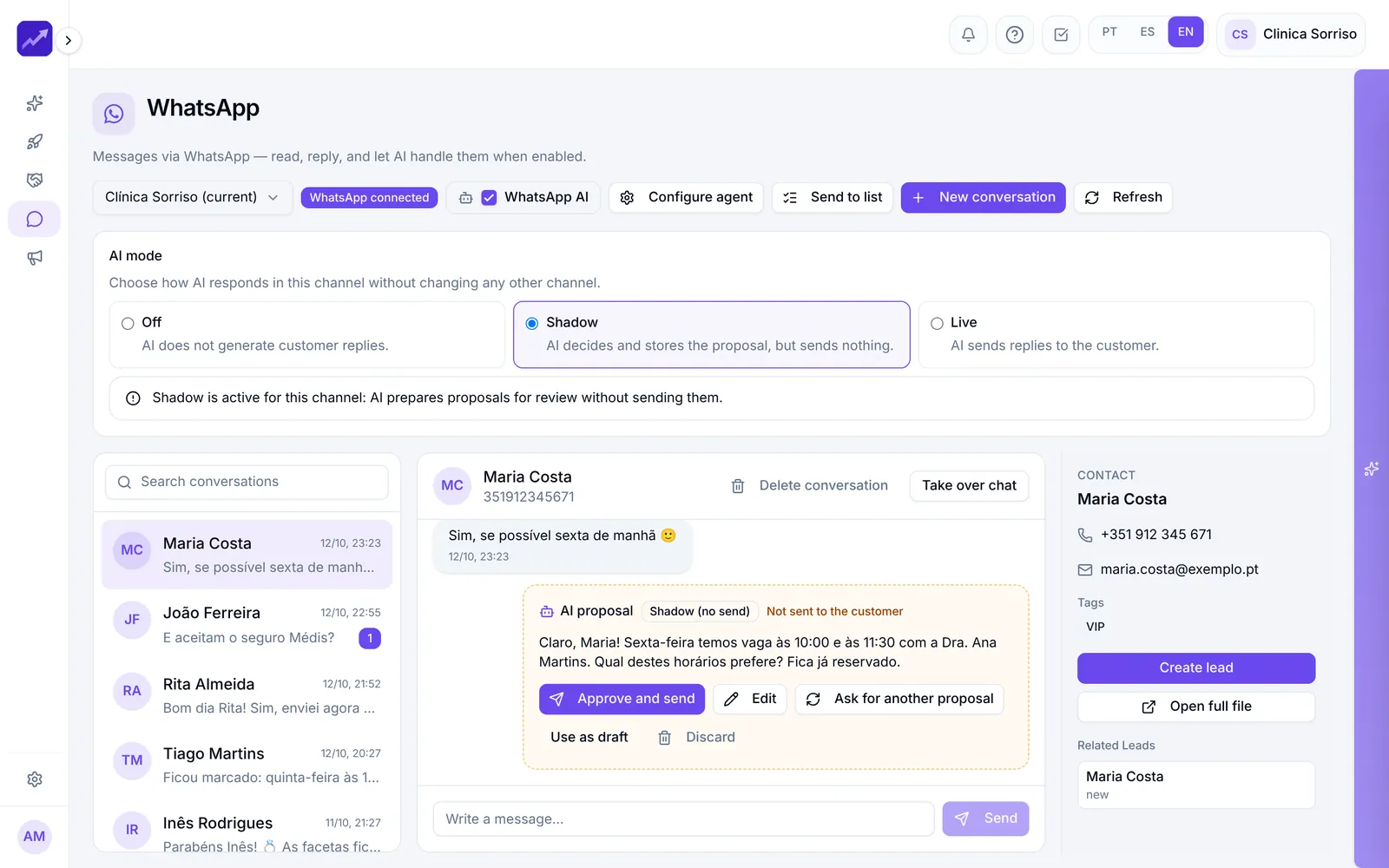
- WhatsApp and SMSEvery company conversation on one shared screen, AI replies in Shadow or Live mode, broadcasts to lists and SMS.See in detail
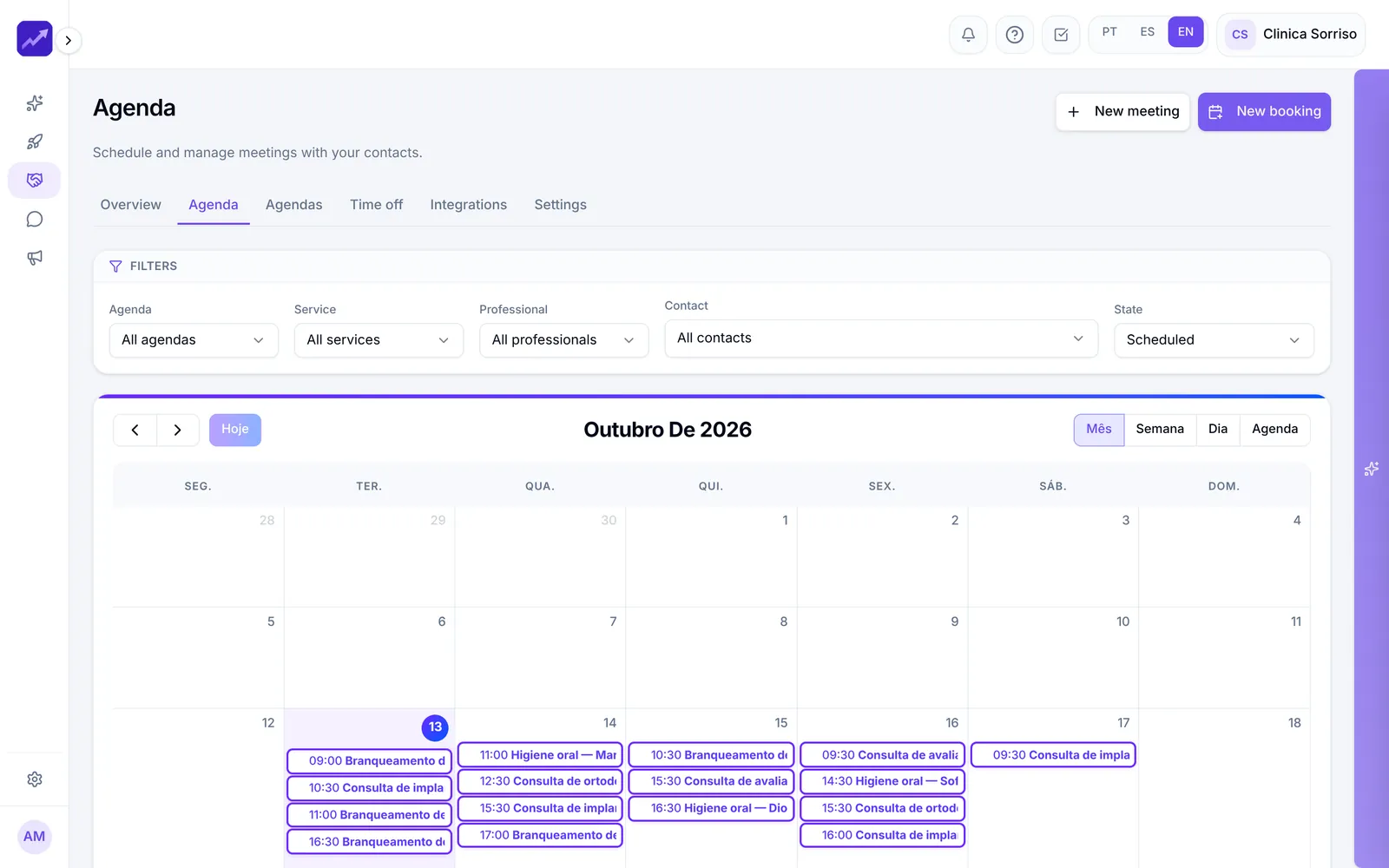
- CalendarCalendars with a public booking page, automatic reminders, blocked time and appointments booked by the AI.See in detail
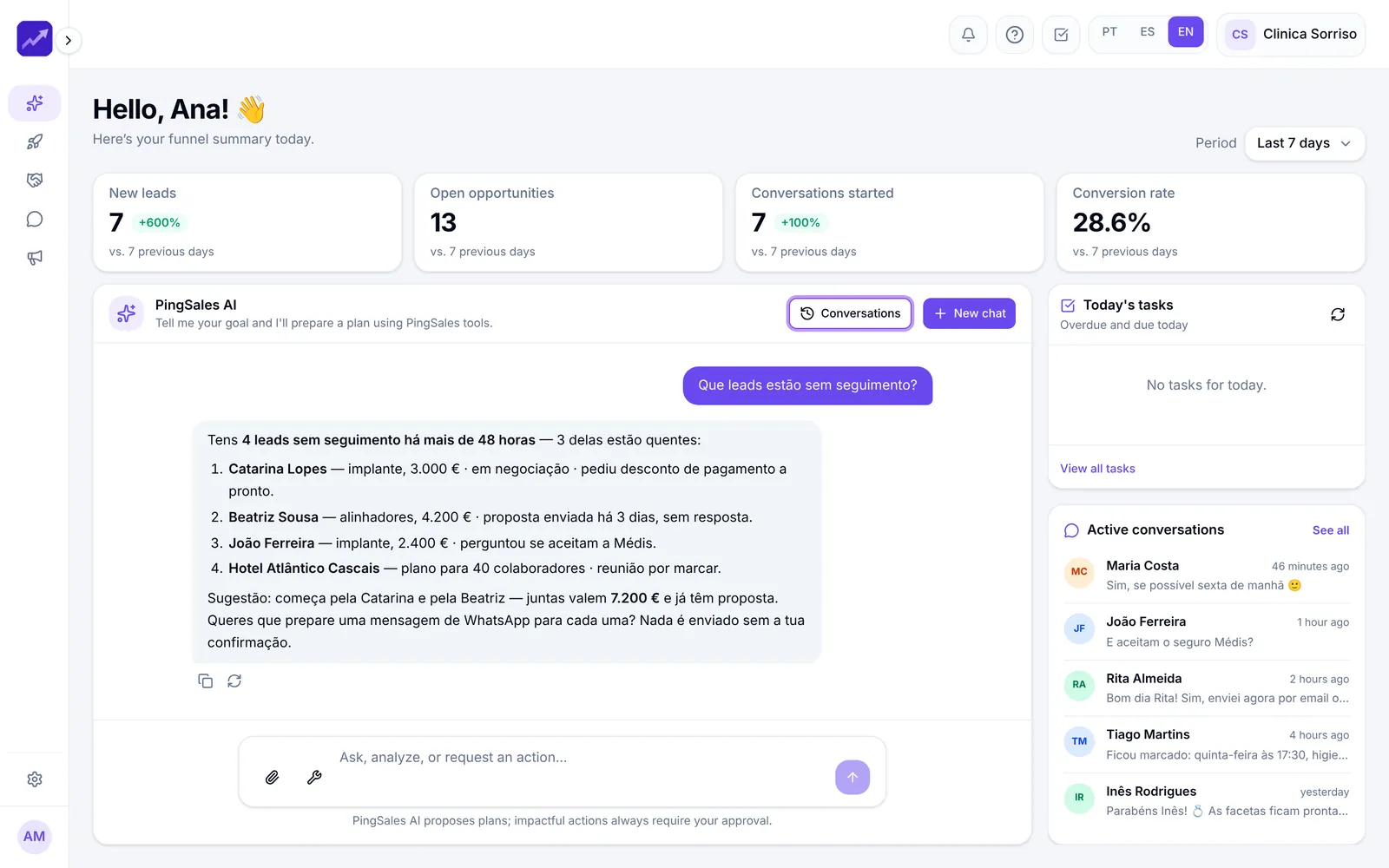
- PingSales AIYour dashboard plus an assistant that knows your data, answers questions and proposes plans that only run once you approve them.See in detail
Your next customer is already typing
Put an assistant on your website today.
Set up the agent in minutes and start receiving leads at any hour.
- No credit card
- Ready in minutes
- Free plan